
The problem
People forwarded receipts by email and heard nothing back, so they forwarded again, raised a ticket, or found out at month end.
My main decision
Reply to every forwarded receipt: matched, or what to do next. Then give people one place to fix what didn’t match.
Stage
Discovery and a clickable prototype. Not live.
A receipt often arrives before the payment
An Uber email lands in seconds. The card payment can take a day or more to settle, and the amount can differ from the receipt. So a receipt that can’t be matched yet isn’t necessarily wrong: there may be nothing to match it to.
Each card already had its own email address for receipts, but it was buried in Settings and different for every card. Nothing confirmed a receipt had arrived, and when matching failed nobody was told.
What a receipt can be
I designed around the states a receipt moves through, so every one of them tells Maya something.
Matched
- Forwarded
- Processing
- Matched, reply sent
Needs attention
- Forwarded
- Processing
- No match, or several matches
- Maya resolves it
- Matched: the reply shows the receipt next to the payment it went to, so she can trust it without opening Soldo.
- Needs attention: the reply says what probably happened, such as a payment that hasn’t settled, a different amount or another card, and what to do next.
- Many at once: forward five invoices, get one summary back: matched, partly matched, not matched.
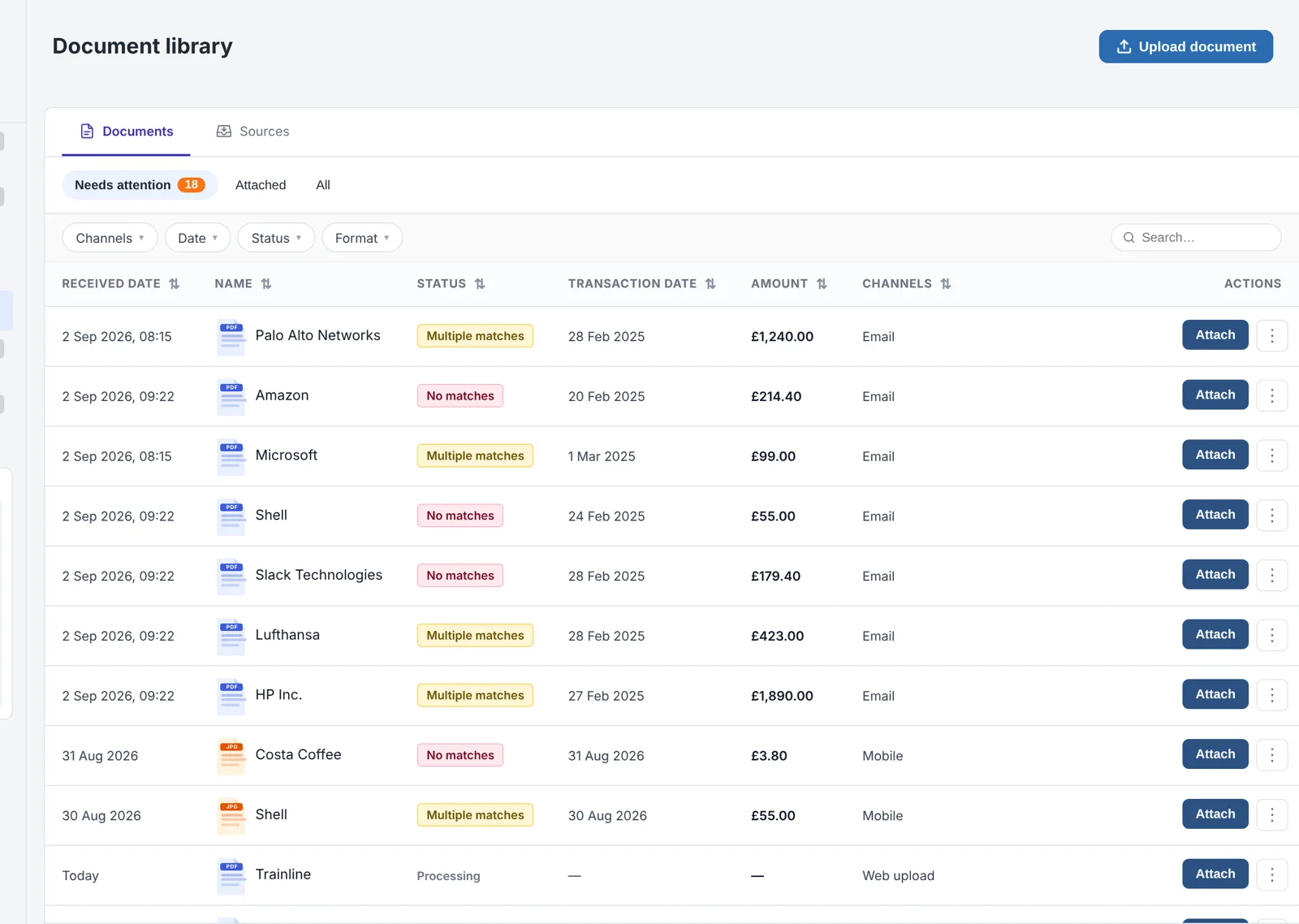
- Resolve it yourself: the Documents page opens on what needs attention. Maya can attach a receipt to a suggested match, add it as an out-of-pocket expense, or delete it.
The prototype shows manual matching. Matching a receipt automatically once its payment settles isn’t designed yet.
Five ways receipts arrive
Maya is our frequent-spender persona: 30 or more card transactions a month and 5 to 10 receipts by email. I mapped one scenario for each channel: paper, an emailed receipt, a hotel invoice, a vendor portal and files shared in chat. Paper was already covered by mobile capture. The other four all ended in email, so email became the way in.

Design explorations
Maya’s journey, the email flow and the Documents page, from the prototype.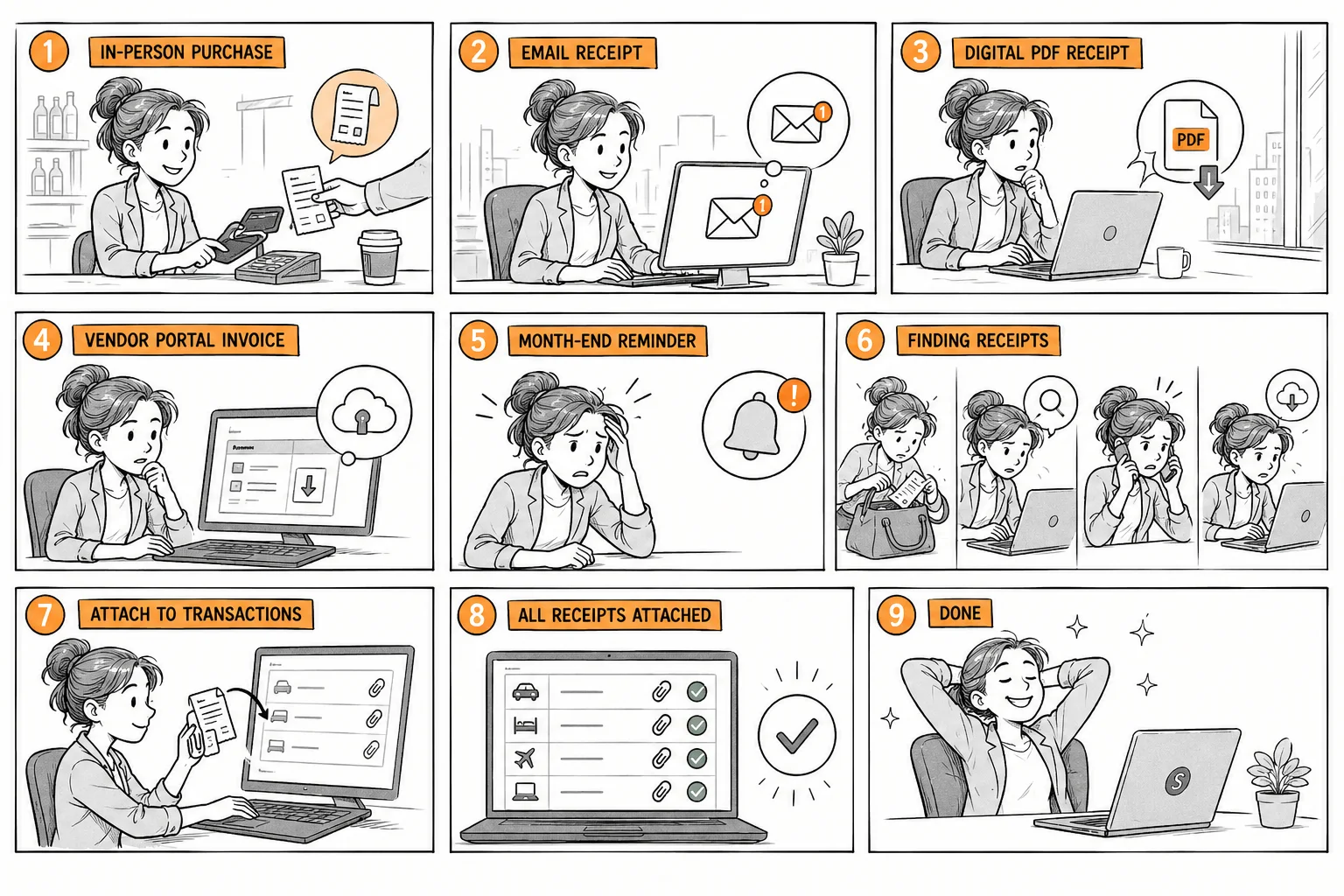

Maya’s job: get through month end without a “missing expense” reminder from Priya. Panel 6 is the problem: four places to search for one receipt.
Five channels, five workarounds (persona scenarios)
1 · Paper receipt
Client dinner, £45, paid at the till.
Already solved by the new mobile capture flow.
2 · Uber email
A £24.50 receipt, in her inbox seconds after the trip.
“There’s a forwarding address? Which of my three cards is it for?”
3 · Hotel invoice
£180, emailed hours after booking.
“I forwarded it. Did it attach? To what?”
4 · Software invoice
£156, downloaded from a vendor portal.
“No bulk upload. I find each transaction in Reports, one by one.”
5 · Files and chat
Two invoices, one shared on WhatsApp by a colleague.
“Do I email them to myself, or photograph my screen?”
The paper receipt was already handled. The other four all end in email, so email became the way in, and the reply became the design.
1 · Forward
From the inbox she already uses
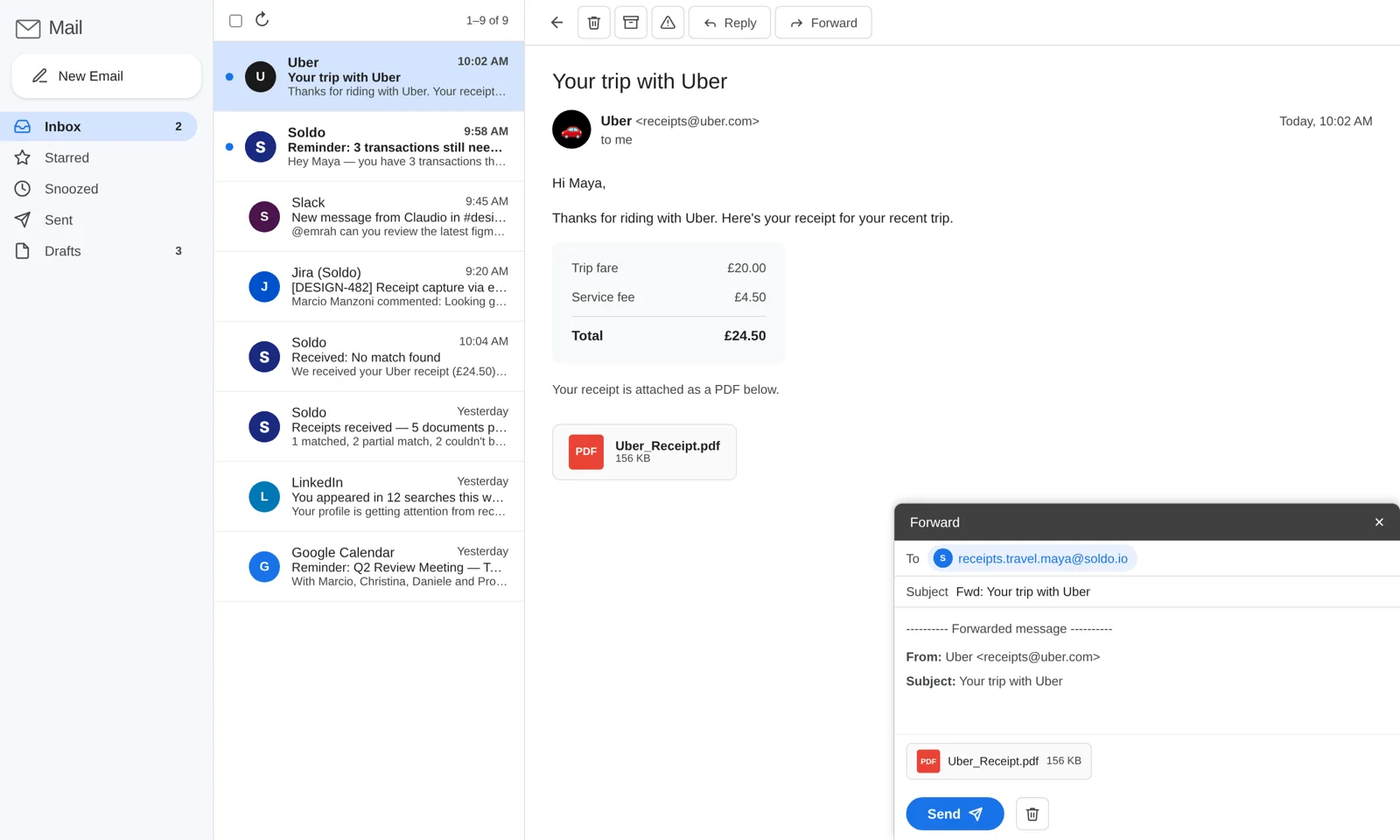

No app, no form. She forwards to her card inbox, and a “Sending…” message with Undo confirms it left.
2 · Reply
Every receipt gets an answer, matched or not
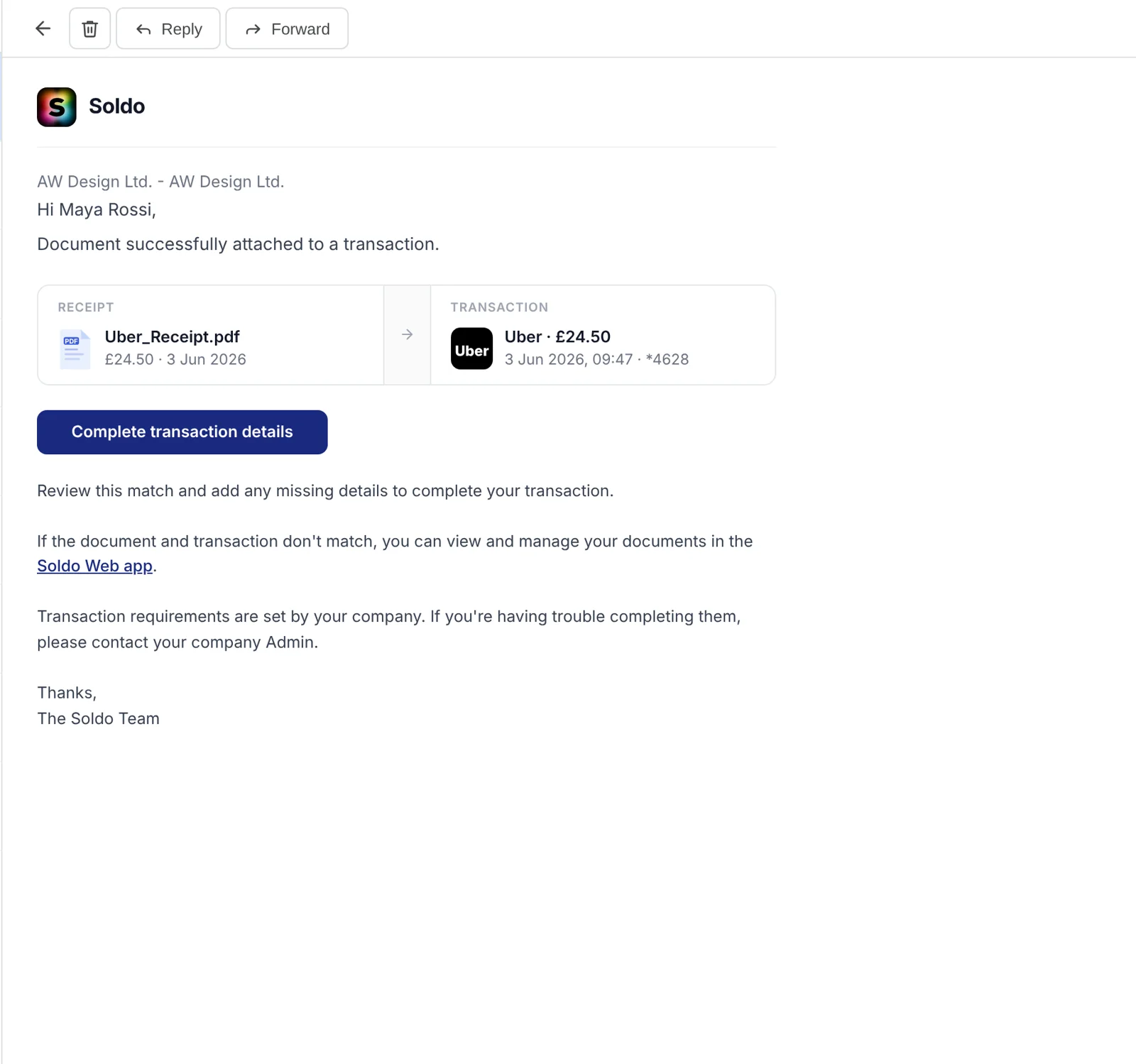
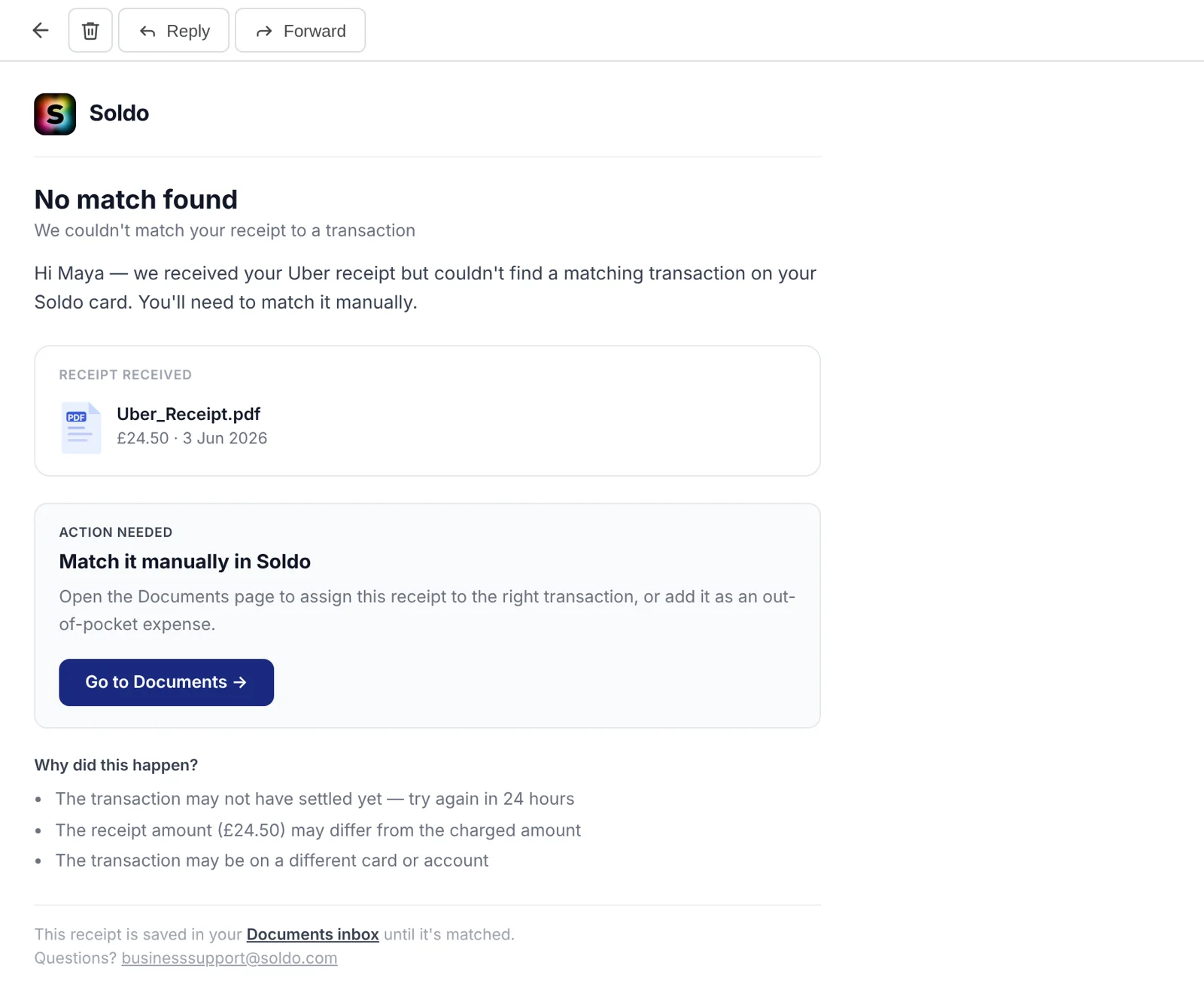
Matched: the receipt next to the transaction it went to, so Maya can trust it without opening Soldo.
No match: what probably happened and what to do next. The receipt waits in Documents, it isn’t lost.
3 · Many at once
One summary for a batch
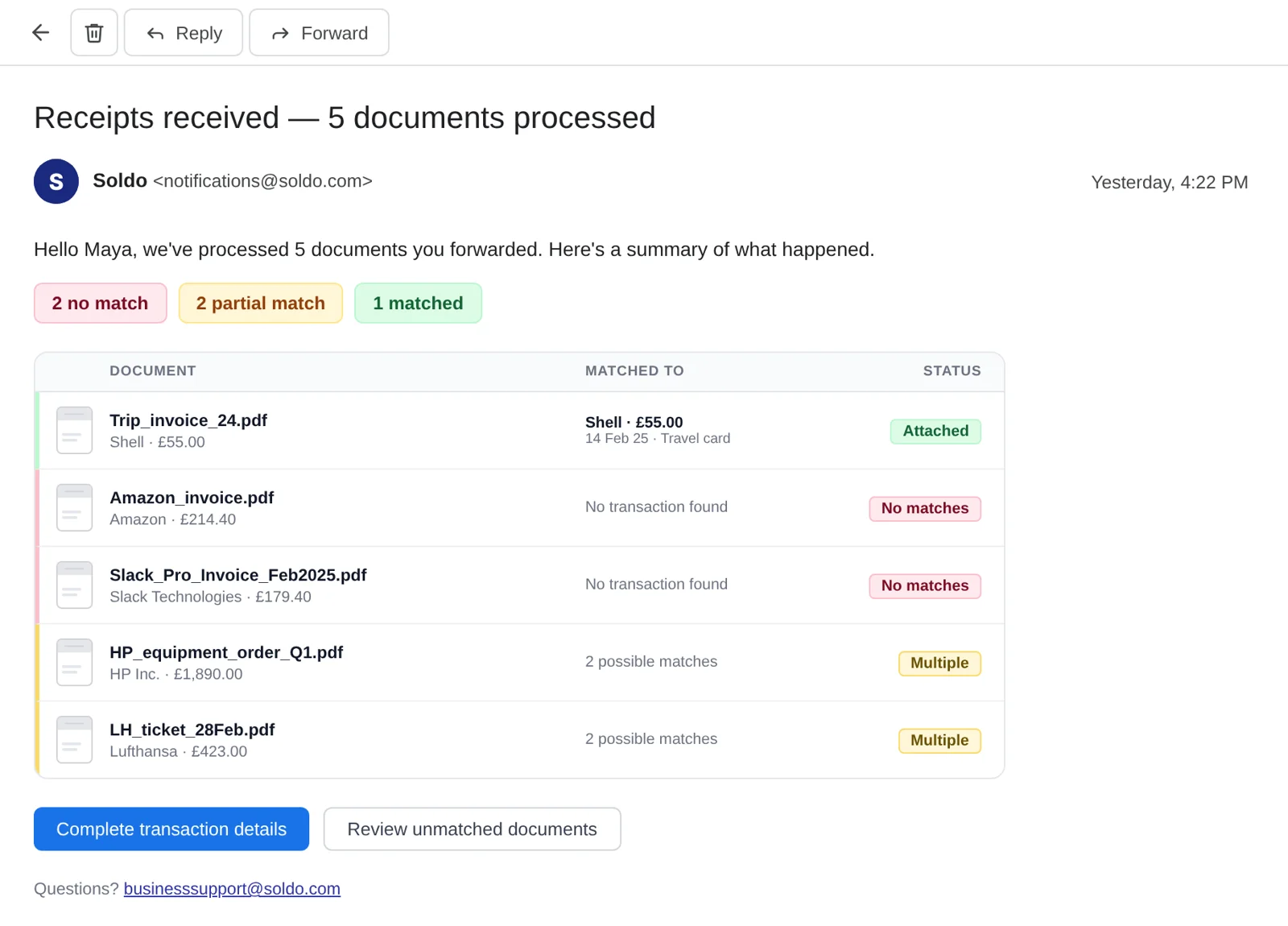
Forward five invoices, get one email back. What matched, what partly matched, what still needs her.
4 · Remind
Reminders that teach the shortcut
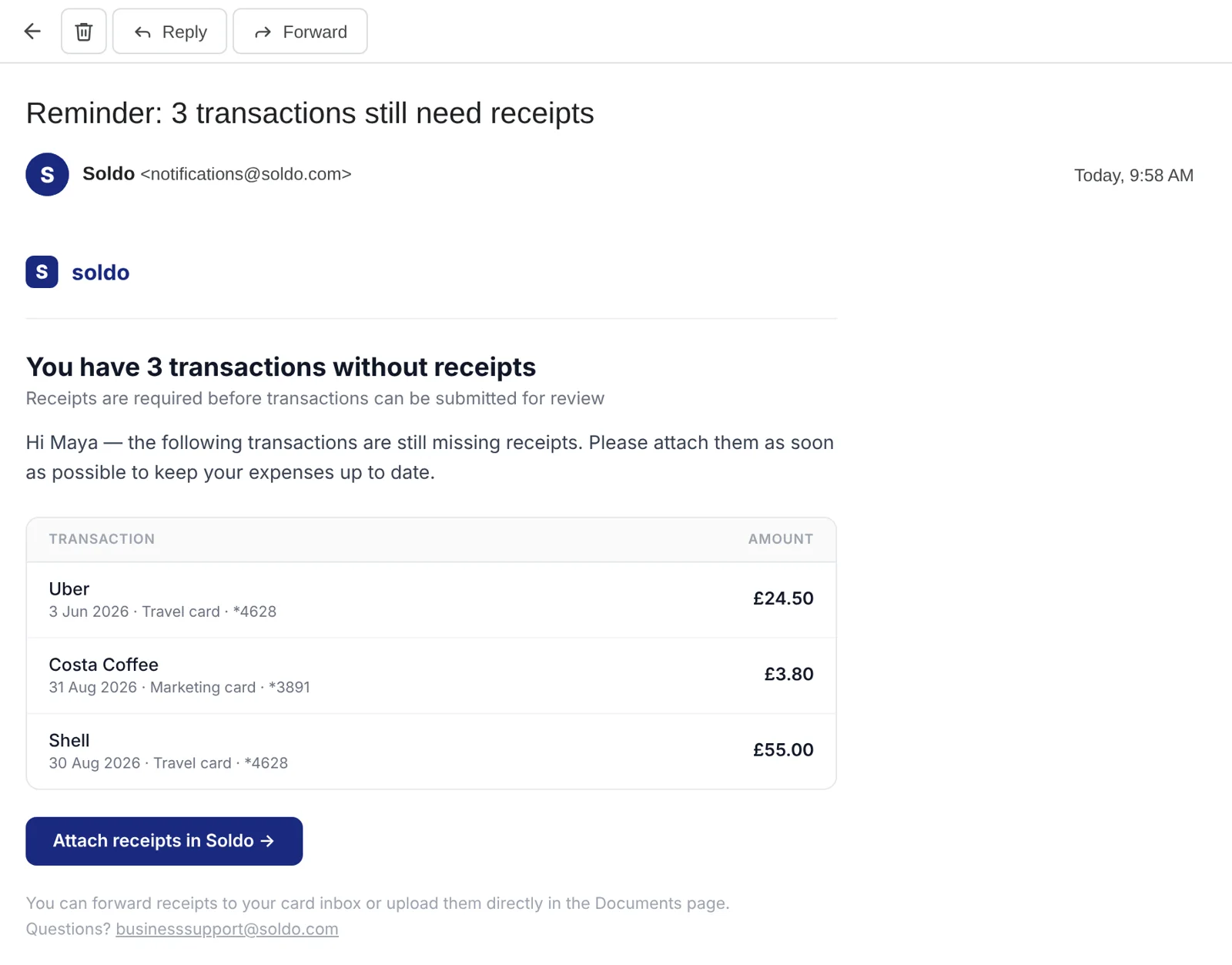
The month-end reminder lists what’s missing and tells Maya she can forward receipts to her card inbox. The address shows up where she needs it.
What needs attention comes first
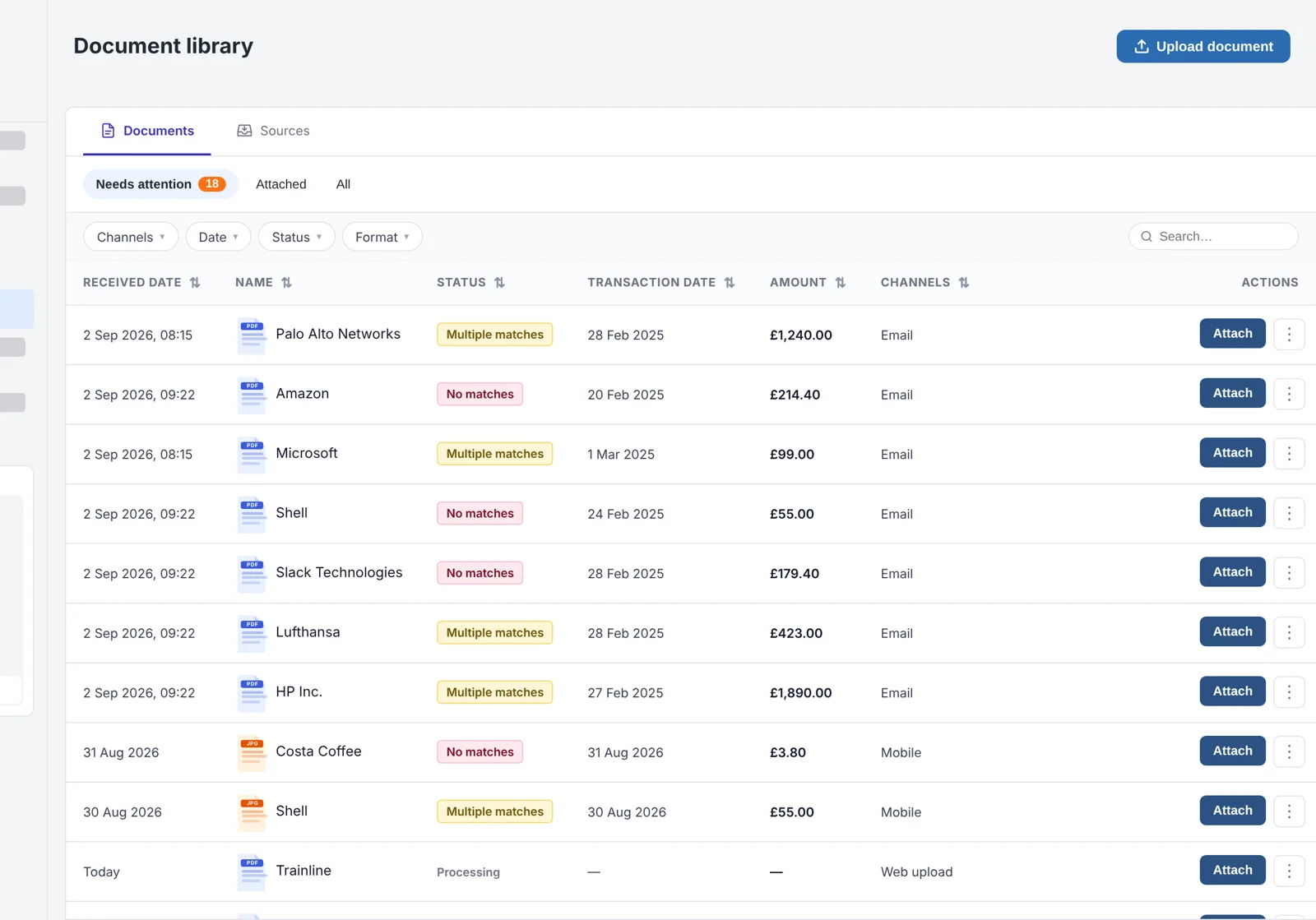
Everything that arrived, from every channel, in one list. The default tab shows only what needs Maya, with the reason beside each.
Fix a match without asking anyone
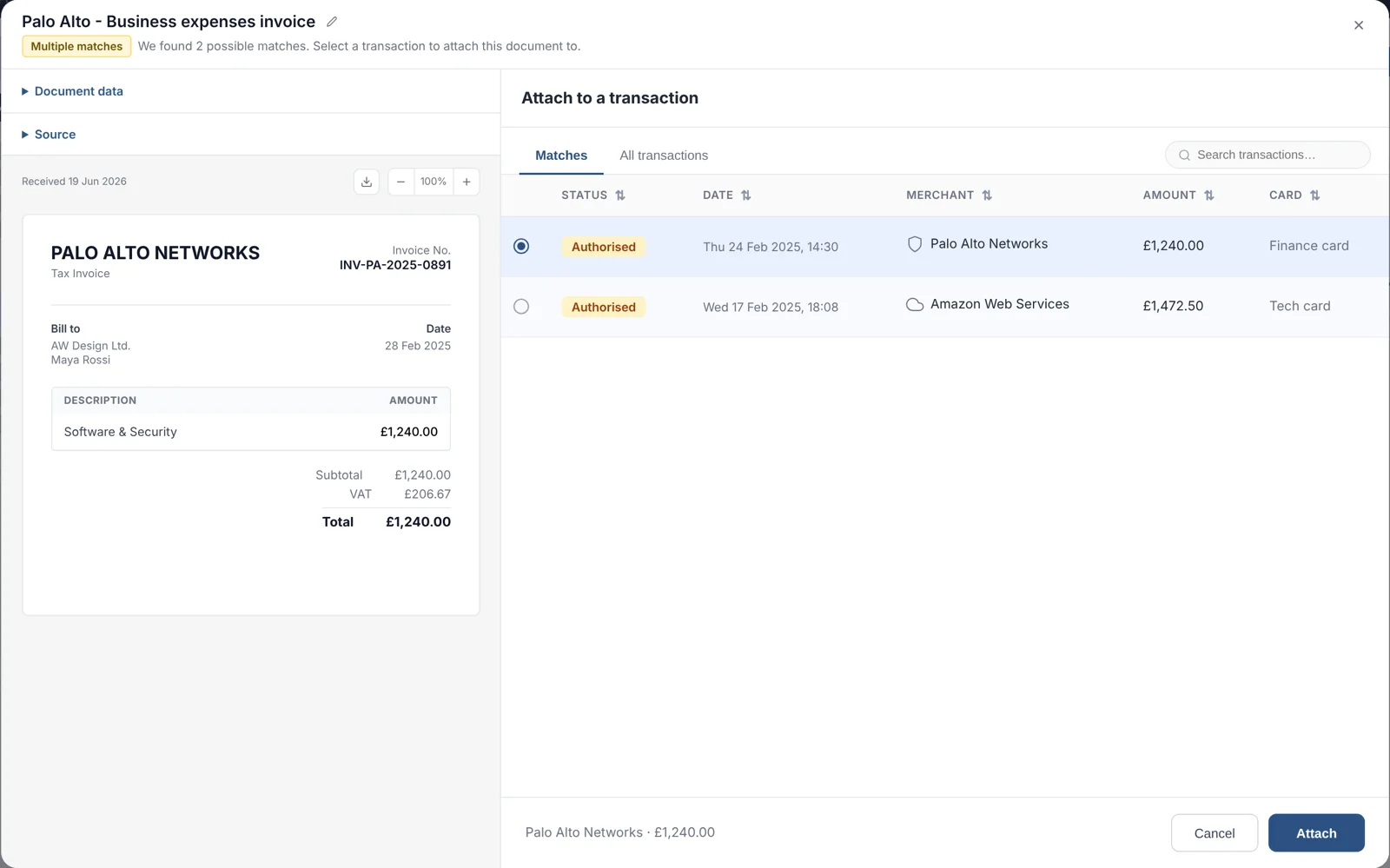
The original on the left, likely matches on the right. Attach, add as out-of-pocket, or delete.

What we will measure
These are proposed targets for a first release, not results.
Proposed targetFewer support tickets
- −50%tickets about email forwarding
Proposed targetMore automatic matches
- 80%of forwarded receipts matched with no manual step
Proposed targetMonth-end completeness
- −30%transactions still missing a receipt at month end
Proposed targetSelf-service resolution
- 70%of unmatched receipts resolved by the spender, without support or finance