
The problem
People signed up but never used the wallet. It only works once money is added, and nothing asked them to.
My main decision
Make the first deposit a visible step of onboarding, with a progress bar from the start.
Evidence
Reported: 11.2% increase in account activation in the first month.
Signed up, then stopped
Jeton is an e-wallet for managing payments through one account, on mobile and desktop. Most new users finished registering and then did nothing. The flow ended at identity verification and never asked for a deposit, so people didn’t know what to do next.
The first deposit as part of onboarding
Before
- Sign up
- Verify identity
- In review
- Wallet empty,
user leaves
After
- Sign up
- Verify identity
- New stepFirst deposit
- In review
- Wallet active
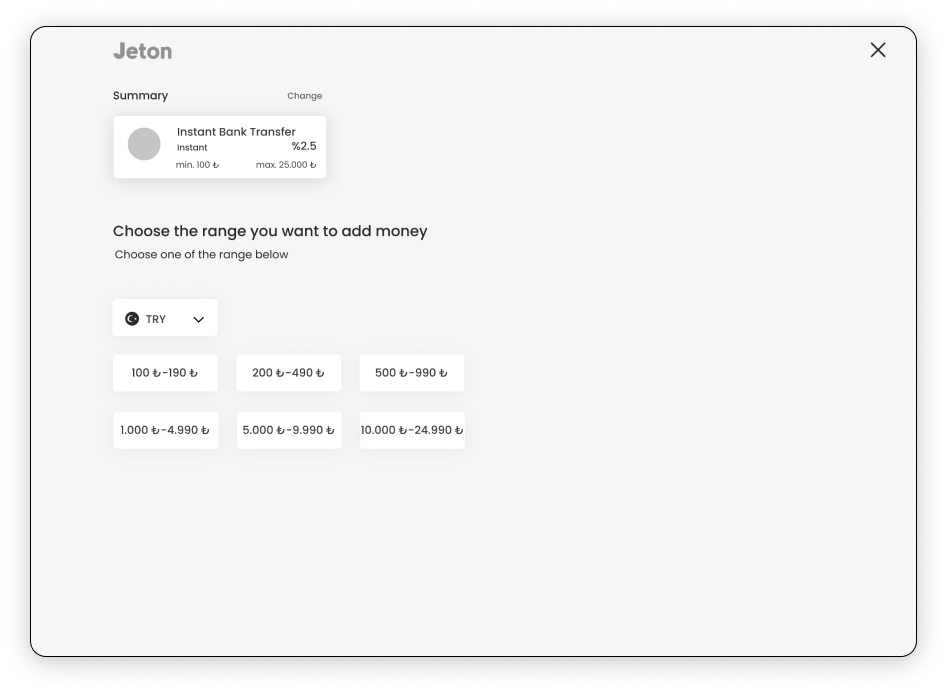
A progress bar shows every step from the start, so the deposit is expected rather than a surprise. Payment methods are grouped by amount and show time, fee and limits up front.
Different rules in every country
Identity checks and onboarding rules differed from country to country, so one fixed flow wasn’t possible, and that variation was itself a source of confusion for users.
Alongside onboarding
- Homepage: a card carousel linked to the matching transactions, so people with several cards can tell which payments belong to which card.
- Payment methods: clearer categories, with the cost and processing time of each.

Design explorations
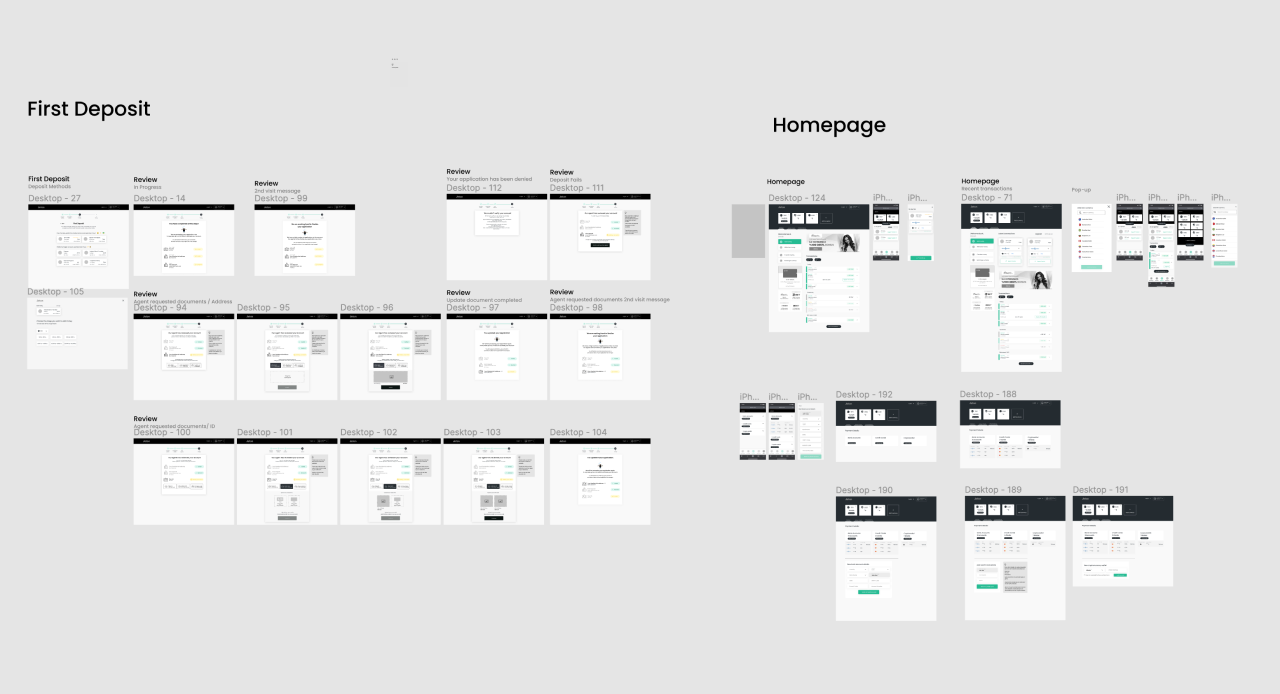
Discovery, then the final wallet and onboarding screens.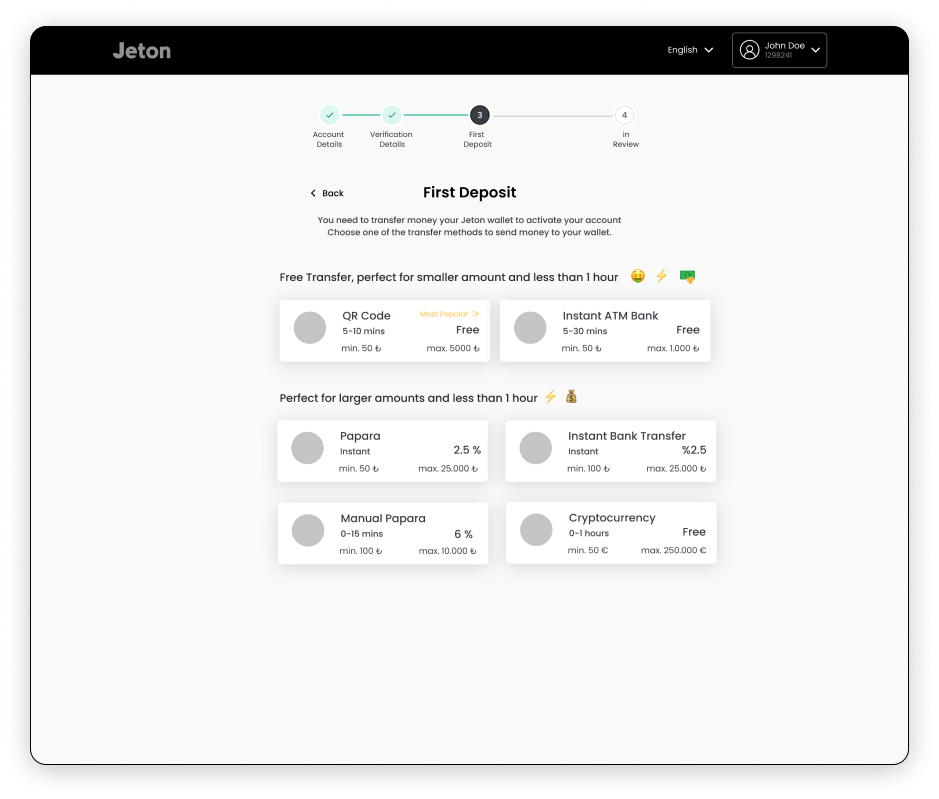
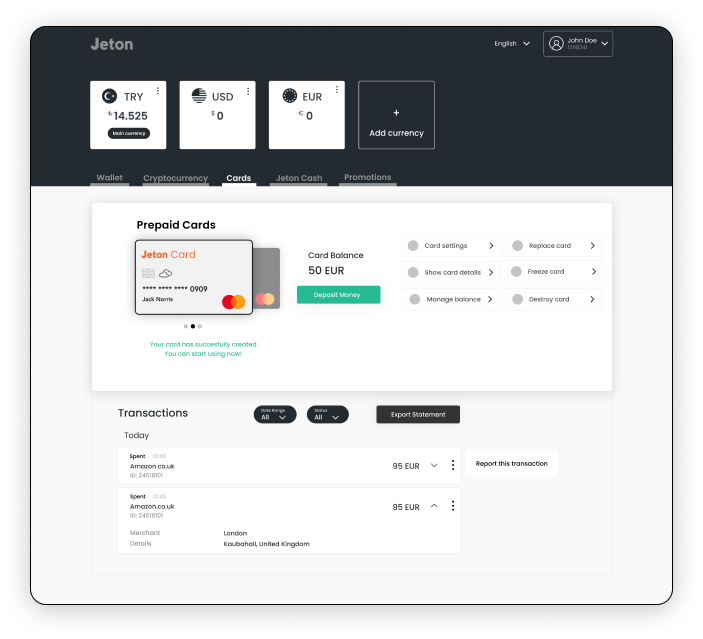
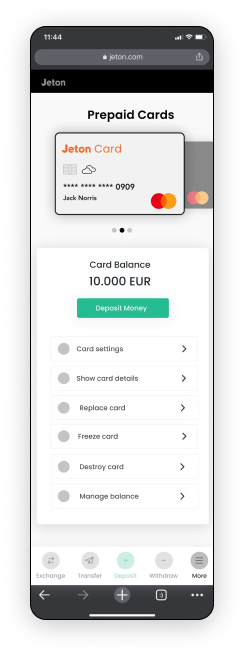
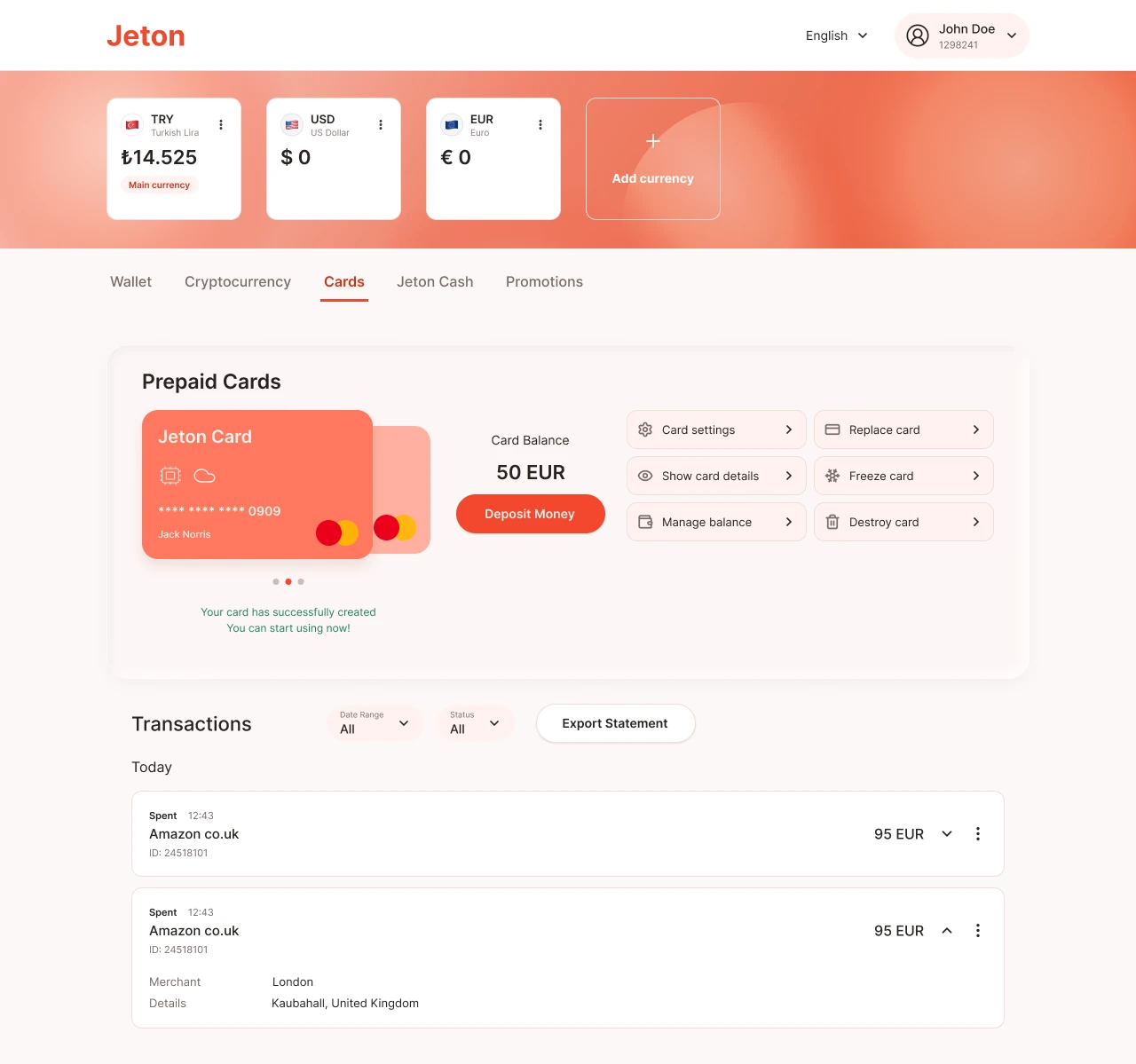
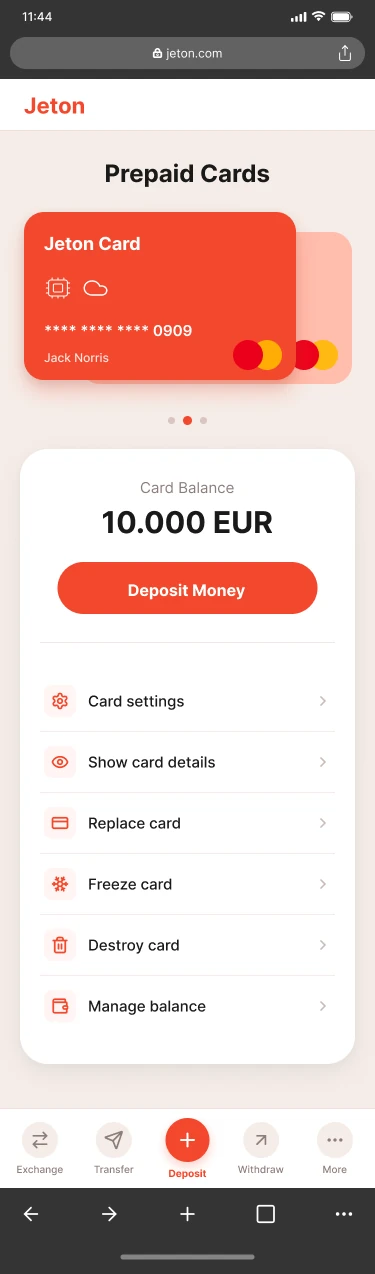
The card carousel sits above its balance and controls, so it’s always clear which card you’re acting on. The same structure works on desktop and mobile.
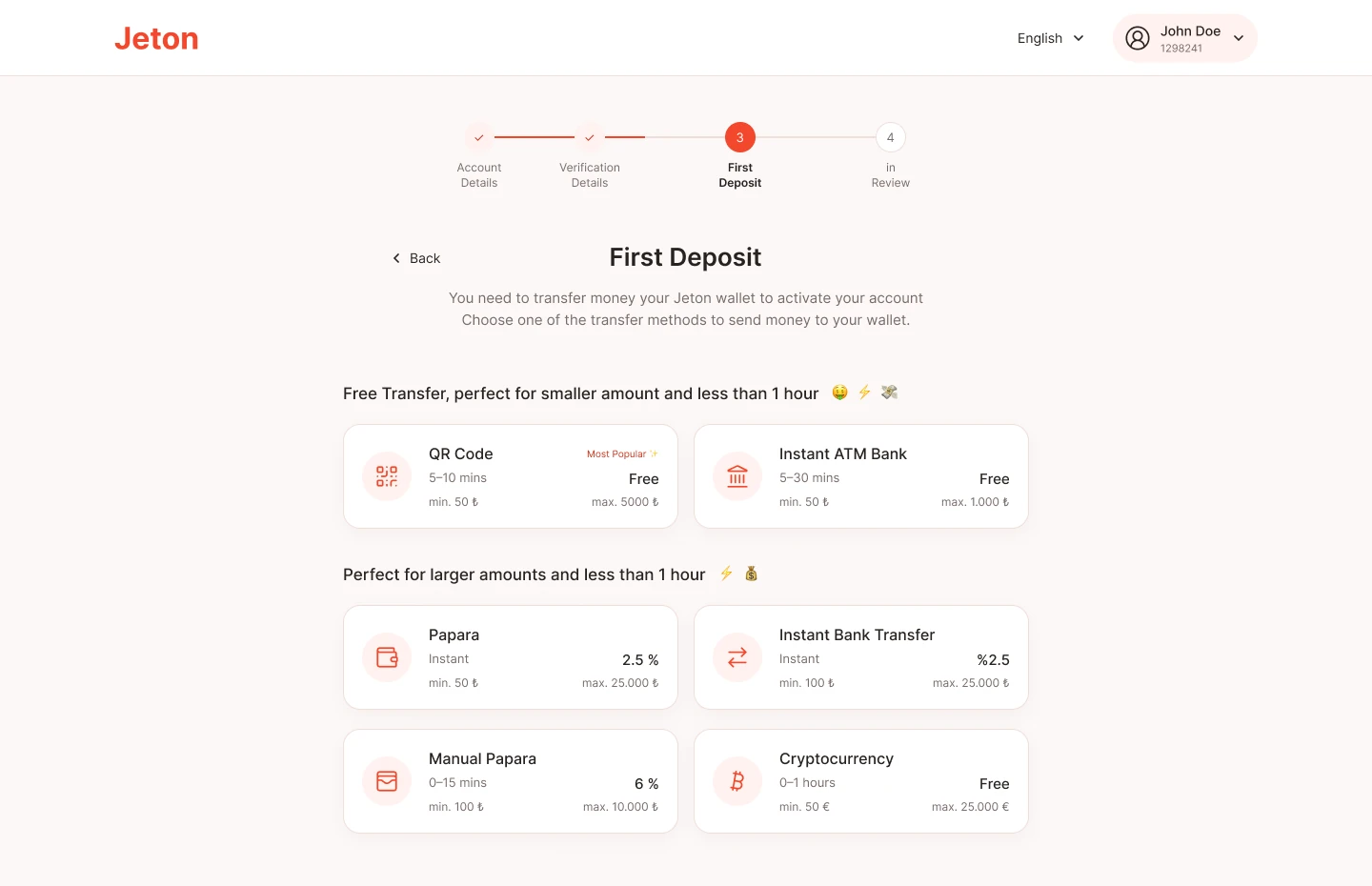
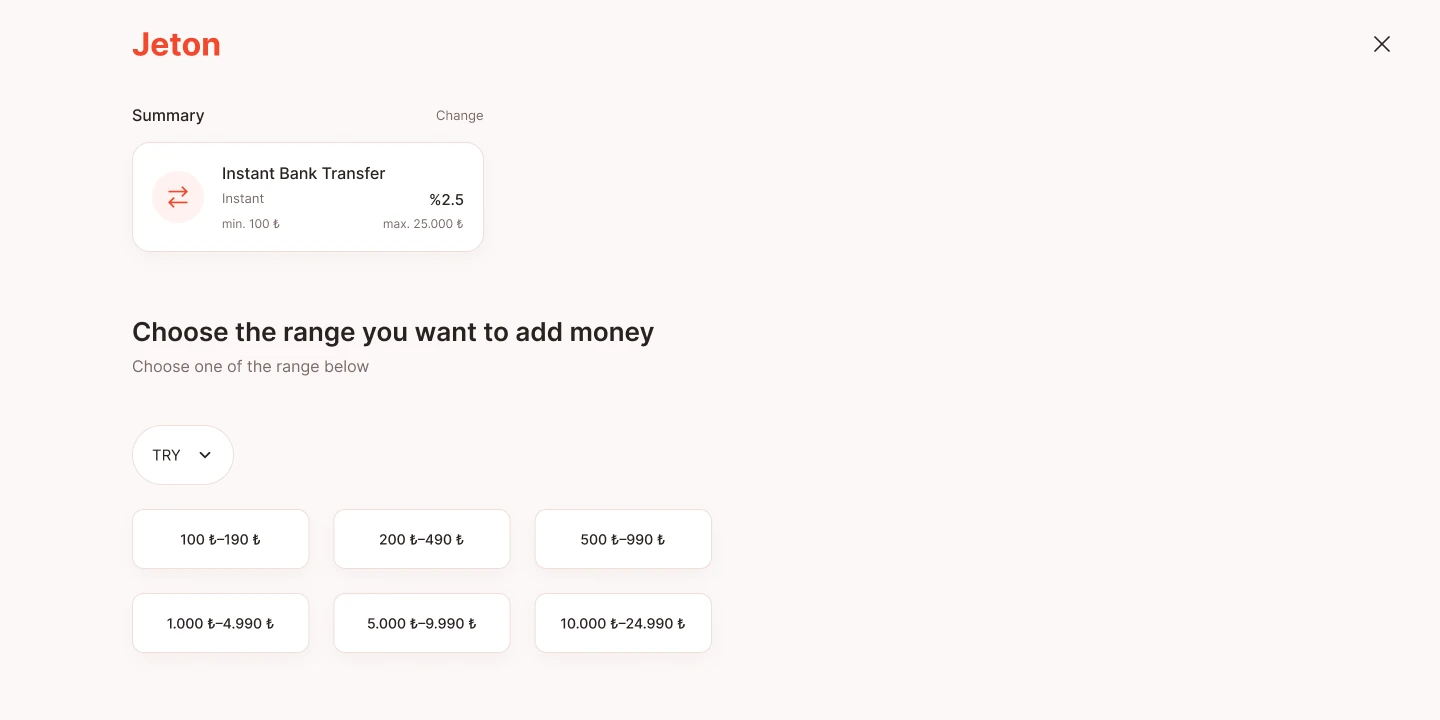
The first deposit is step 3 of onboarding. Methods are grouped by amount and show time, fee and limits up front, so people can pick the one that fits.
Outcome
increase in account activation in the first month after the first deposit became part of onboarding. (reported)