
The problem
Everyone used one interface. As features were added it grew denser, and nobody felt it was built for them.
My main decision
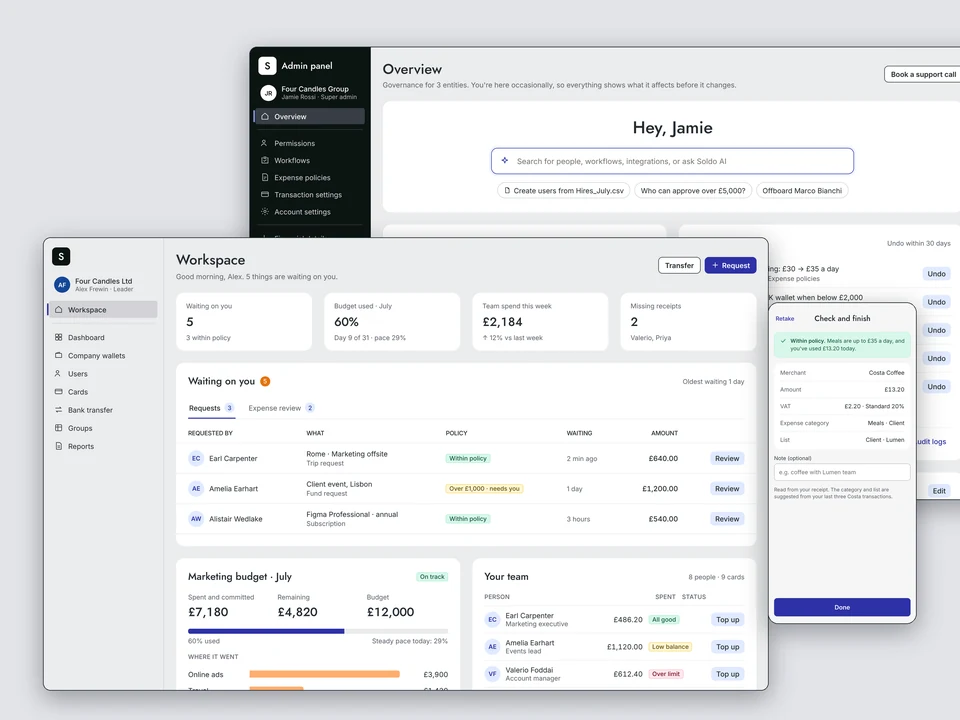
Split by kind of work, not job title: a Workspace for running spend every day, an Admin panel for setting it up.
Stage
Tested with current customers. Not live, and the screens are concepts.
The split we set out to explore
Soldo serves four people along one chain of delegated spend: the account admin who sets it up, the employee who spends, the manager who approves, and the finance team who fund, reconcile and report. All four worked in one interface.
The starting idea was to separate the product in two: Soldo Admin for finance and admins, and Soldo Workspace for managers and employees.
Why finance needs a workspace too
The material I started from had a single Superadmin persona, and my first concept gave that person the Admin panel as home. Walking through the journeys showed the problem. A finance manager holds full admin rights, but most days they top up wallets, sign off requests, chase receipts and close the month. That is daily work, and it had landed next to permissions and integrations.
I split the persona in two: Nadia, who runs finance every day, and Jamie, who sets the platform up and visits now and then. Finance moved into Workspace and steps into the Admin panel only when something needs configuring.
The line runs between kinds of work, not between job titles.
Two front doors, one record
- Workspace is where spend is run day to day. The Admin panel is where it is governed.
- Both sit on one transaction record. Role decides what you see in each, not which one you get.
- Every Workspace opens on what is waiting for that person: missing details for an employee, approvals with budget context for a manager, funding and month-end for finance.
- Policy appears in plain words at the moment of action, not as a gate afterwards.
- The Admin panel says what a change will affect before it happens, and keeps an undo for 30 days.

Design explorations
Roles, the split and concept screens. Every screen here is a concept, not live.The chain of delegated spend · persona summaries

Four people touch every pound a company hands out. If one link is weak, the product feels broken for the other three.
Earl · Employee
Spends on the go. Mobile first.
- Spend fast without using his own money
- Stay inside policy
- Spend as little time on receipts as possible
“I don’t have many tasks. It should be very simple.”
Alex · Team manager
Leads a team, owns its budget.
- Review spending requests quickly
- Review the team’s expenses
- See budget against spend without asking Finance
“Approve fast. Show me the budget.”
Nadia · Finance
Full admin rights. Operates every day.
- Keep money where it is needed
- Reconcile with accounting
- One view across every entity
“Data I can trust, and a close that isn’t a chore.”
Jamie · Account admin
Owns the setup. Visits now and then.
- Onboard and offboard people
- Order and replace cards
- Set permissions and workflows
“I’m jumping around a lot. It’s more complicated than it needs to be.”
Workspace
Where spend is run, every day. Everyone has one, shaped by their role.
- What is waiting on you
- Requests, trips, subscriptions, online ads
- Cards, balances and wallets
- Team budget and spend
- Expense review and export
- Reports
Admin panel
Where spend is governed, now and then. Open to the roles that configure.
- Permissions and roles
- Approval workflows
- Expense policies
- Transaction and account settings
- Integrations
- Statements and audit logs

One transaction record sits under both. Role decides what you see in each, not which one you get.
1 · Earl, employee
Capture a receipt in about ten seconds
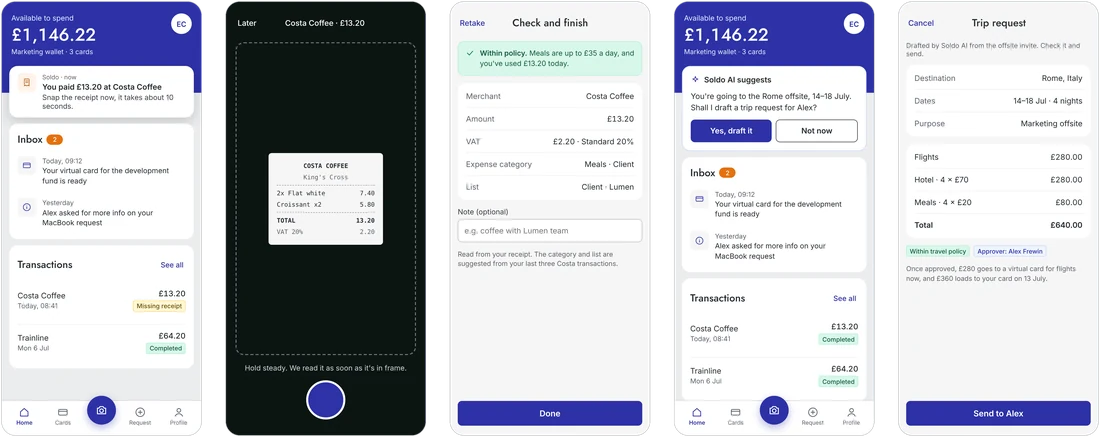
A push arrives seconds after he pays. Amount, VAT and category are read from the receipt, and policy is stated in plain words.
Soldo AI spots the Rome offsite and drafts the trip request for Alex. Earl checks it and sends.

On web, the same record and nothing extra
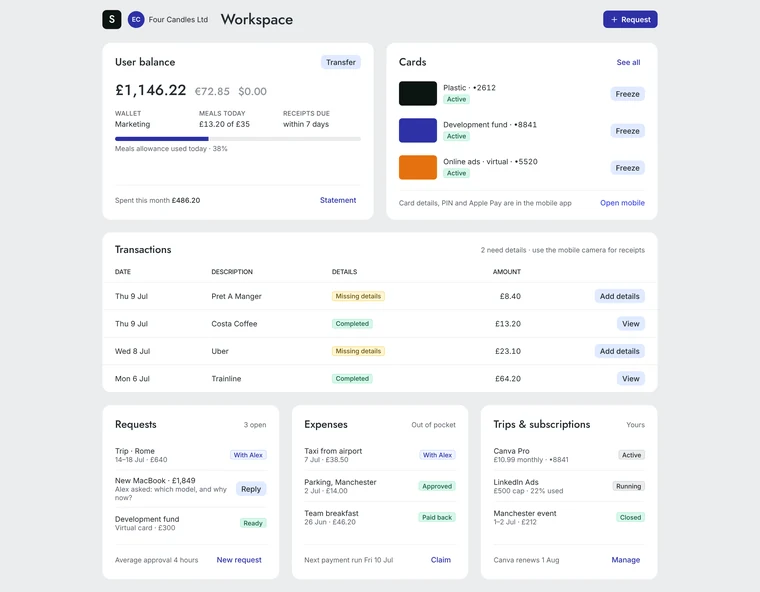

Web is the fallback, not the home. Two transactions need details, and the page points him back to the phone camera.
2 · Alex, team manager
Approve with the budget in view
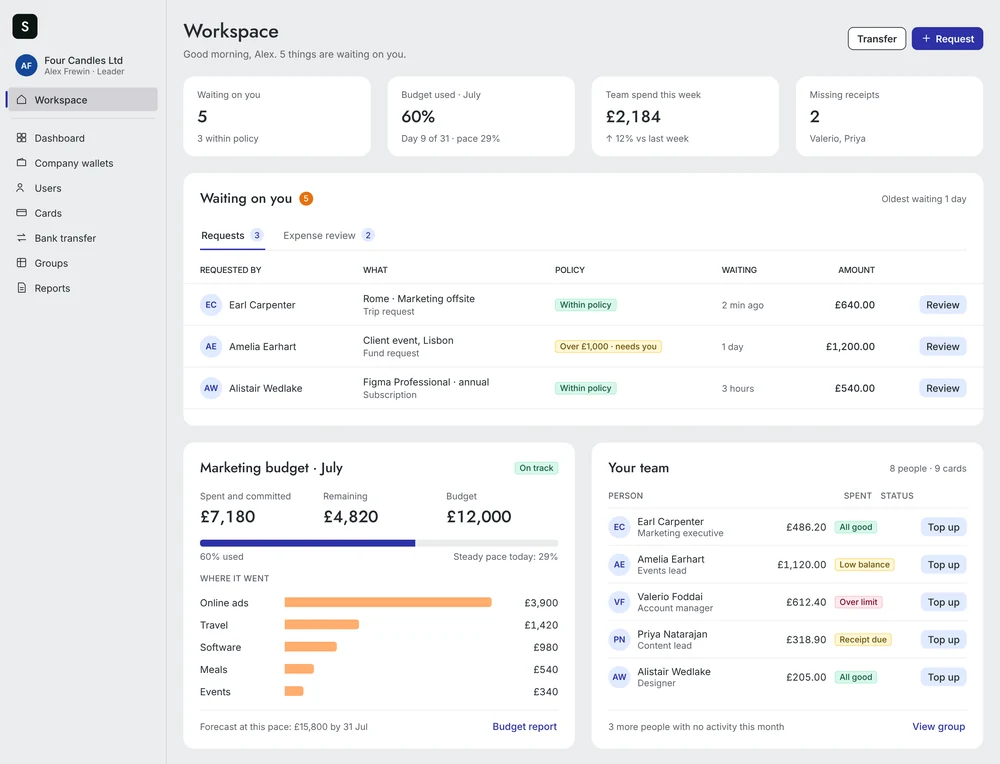
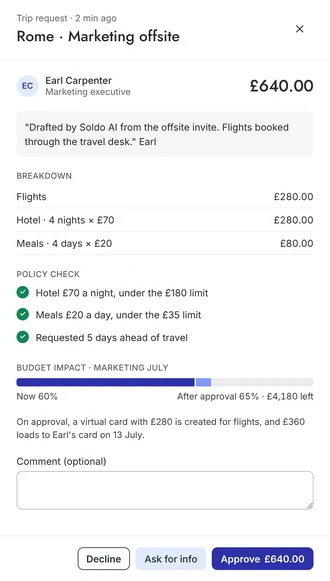
“Waiting on you” leads the page. Opening a request shows the cost, a check against each policy rule, and what approving does to the July budget.
3 · Nadia, finance
Fund, chase and close across three entities
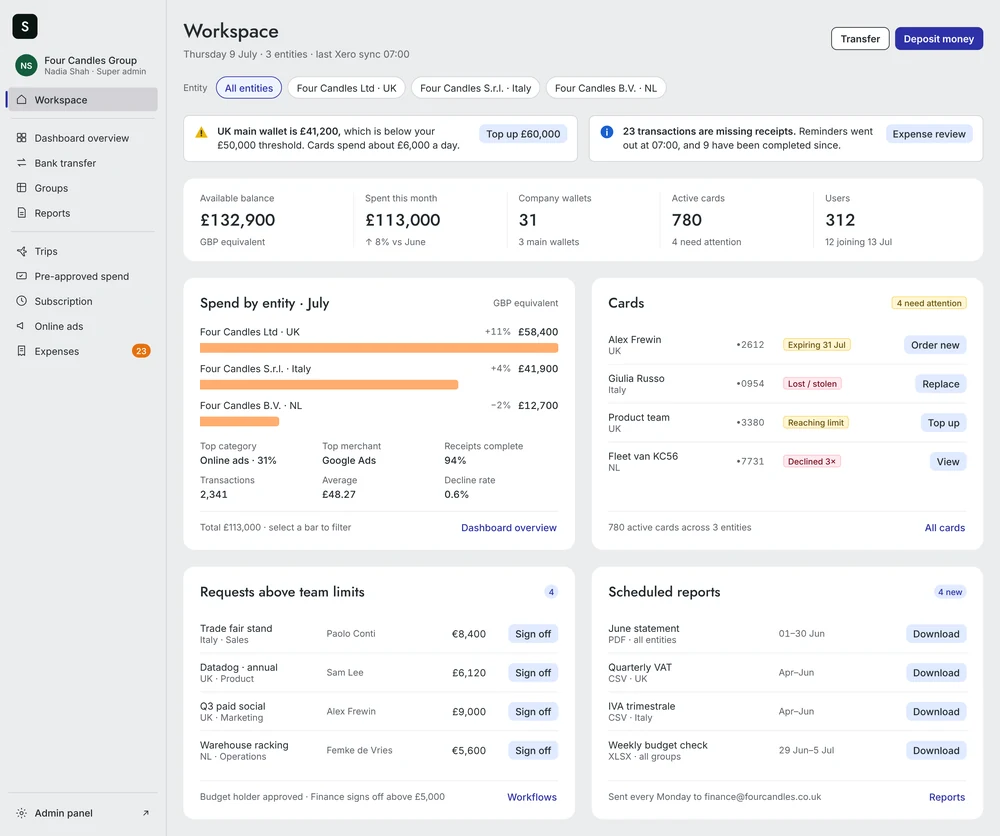
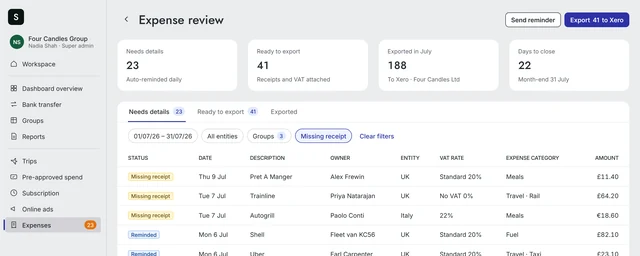
Finance has full admin rights and still starts here. A low wallet and missing receipts are flagged with the action beside them.
In Expense review the reminders went out before she arrived. What is complete goes to the accounting system in one export.
4 · Jamie, account admin
Change settings without fear
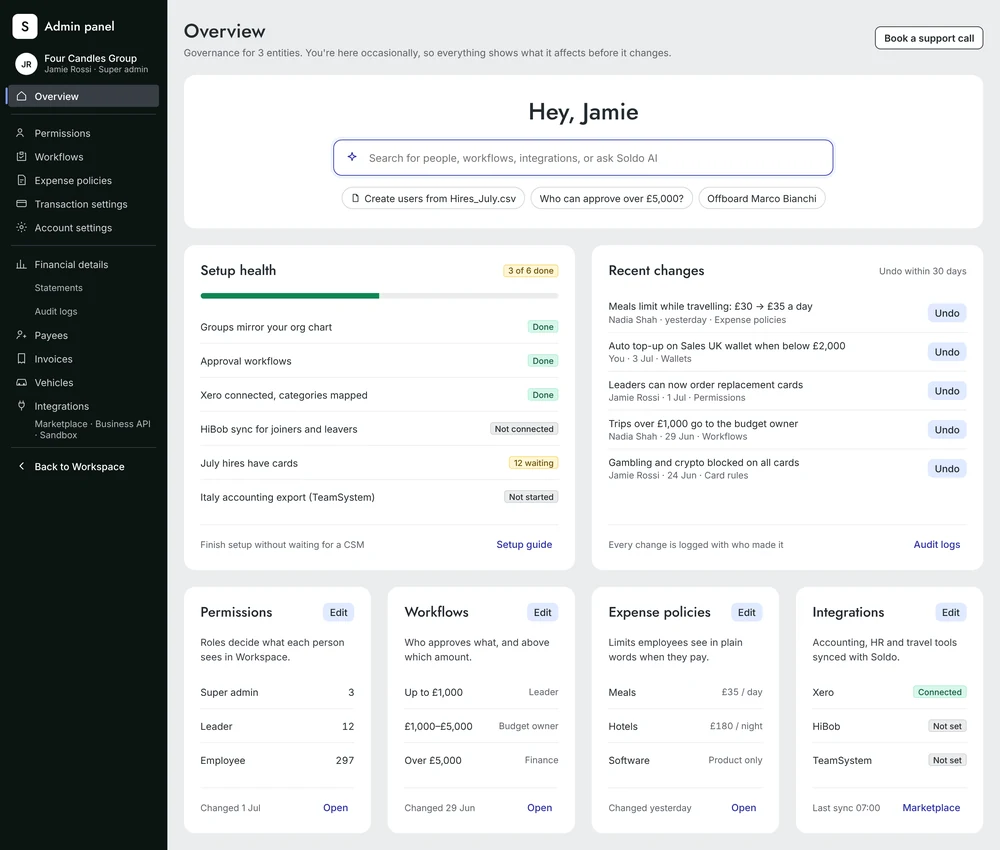
Bulk create: fix what is missing, then see exactly what will happen
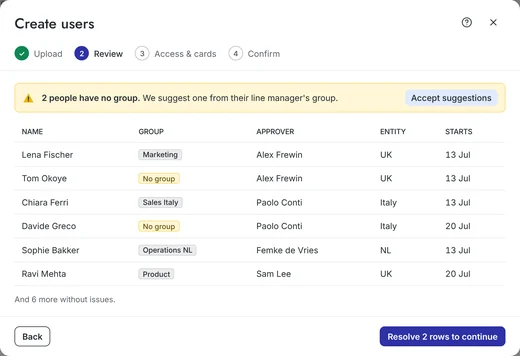
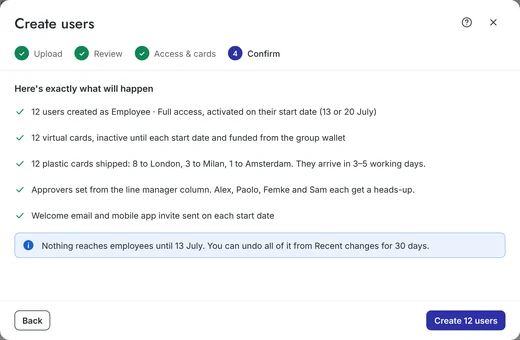
This side is for occasional visits, so every change says what it affects first and can be undone for 30 days.

Testing with customers
We tested the split against today’s single interface with current Soldo customers in each role. I built the prototypes in our own design system, with real roles and permissions and believable data for a company with entities in three countries, so people could use them as if they were real.
What is still open
- Admins who have just inherited an account are who the Admin panel is really for. The customers we tested with already knew the product, so that first day still needs testing.
- The split assumes one transaction record behind two front ends. Engineering feasibility and the order of delivery still need to be worked out.