The problem
Flows were unclear or broken, key screens were missing, and role-based actions in live sessions were hard to follow.
My main decision
Map every role and state before, during and after a session, then rebuild the flows around them.
Delivered
A new UX concept, complete user flows and all wireframes, refined through prototype tests.
Who can do what, and when
EKOS connects companies and professionals through live sessions. In a Roundtable, what someone can do depends on their role (host, speaker or participant), their permissions and the moment: before, during or after the session. That made navigation and the visibility of actions hard to get right.
What was missing
When I joined, the app was already in a testing environment and no UX designer had worked on it. A heuristic evaluation found unclear or broken flows, missing screens and interactions, and weak navigation. Stakeholders also wanted the app to show the product they were presenting to investors, which is a business expectation rather than evidence of what users needed.
How I worked
There was no room for a long research phase. I used a heuristic evaluation for the immediate issues and a competitor analysis to find gaps, then moved to a new concept, complete flows and wireframes, and supported prototype tests to refine them.
Design explorations
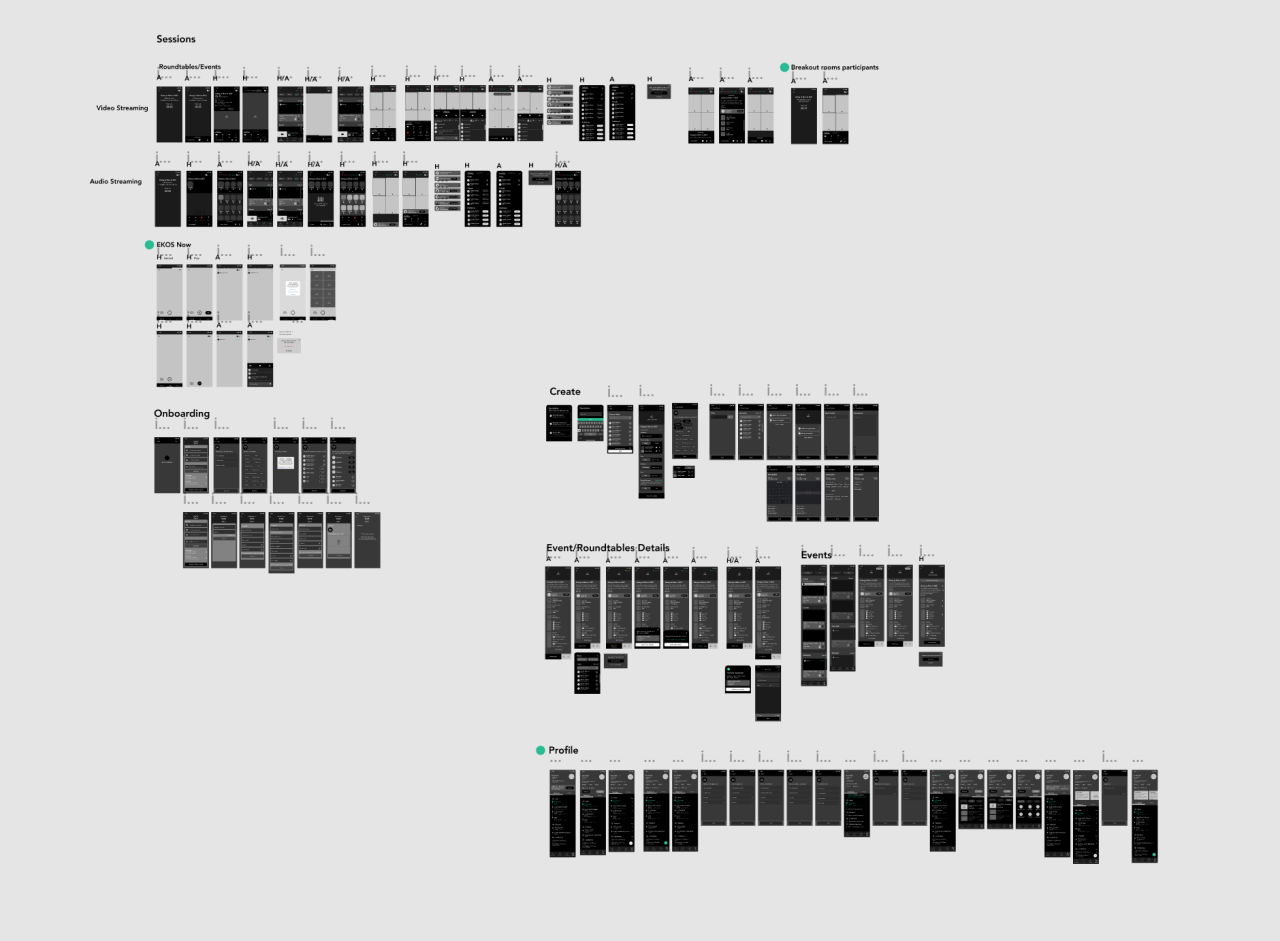
Roundtable states and flows, then the final app screens.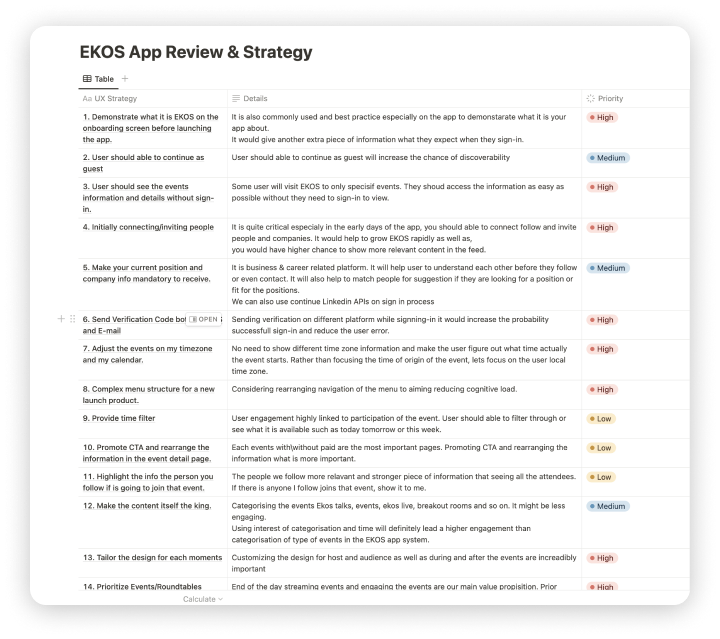
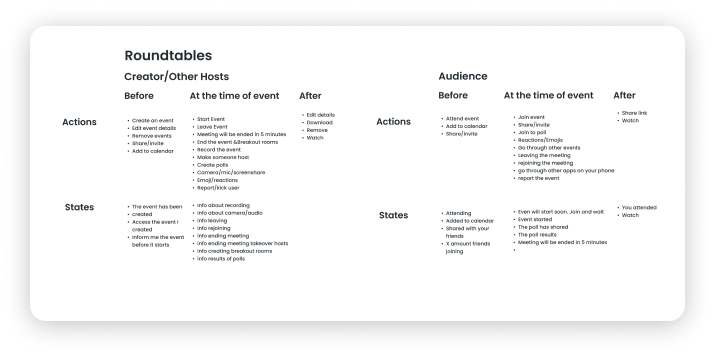

Mapping states and actions before, during and after a session
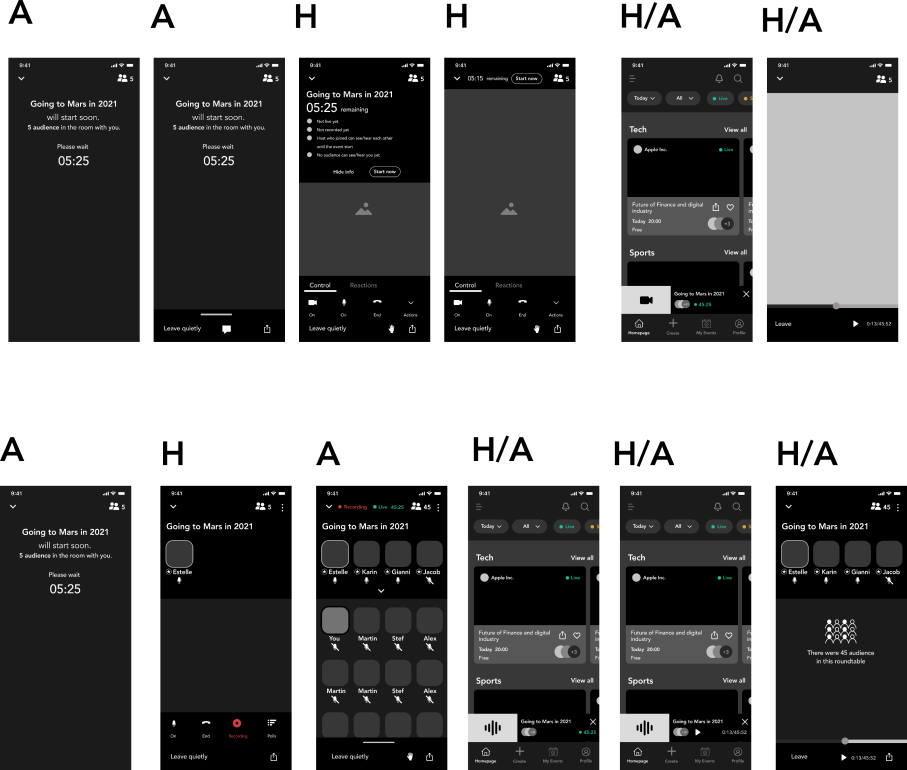
Roundtable details UX flow
Event details UX flow
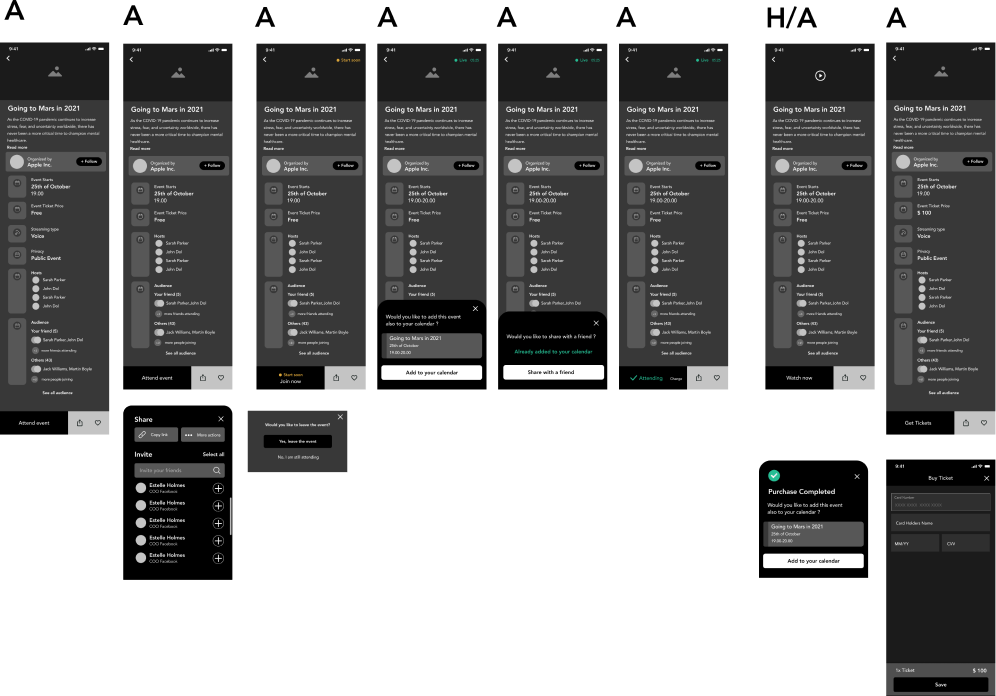
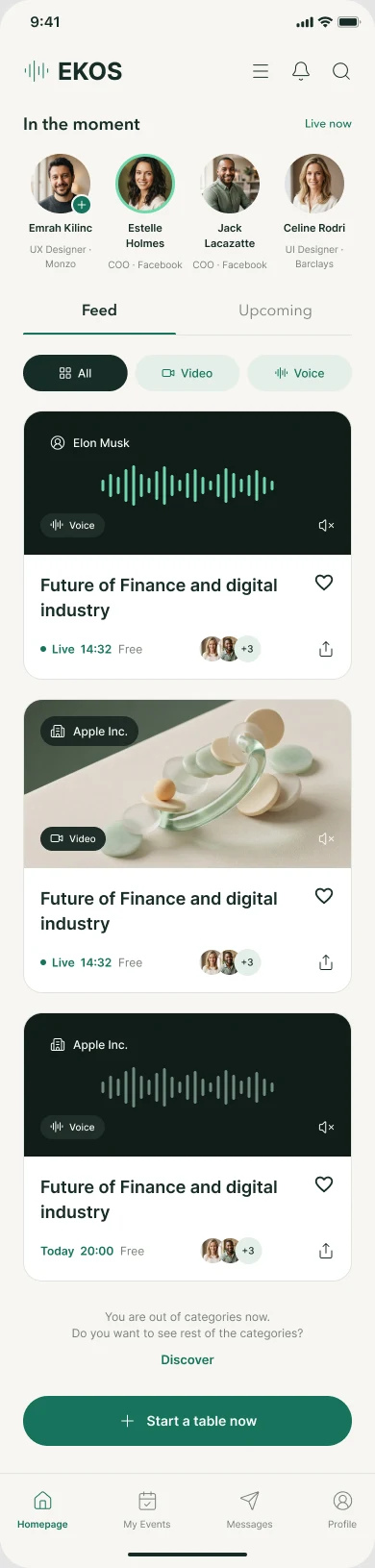
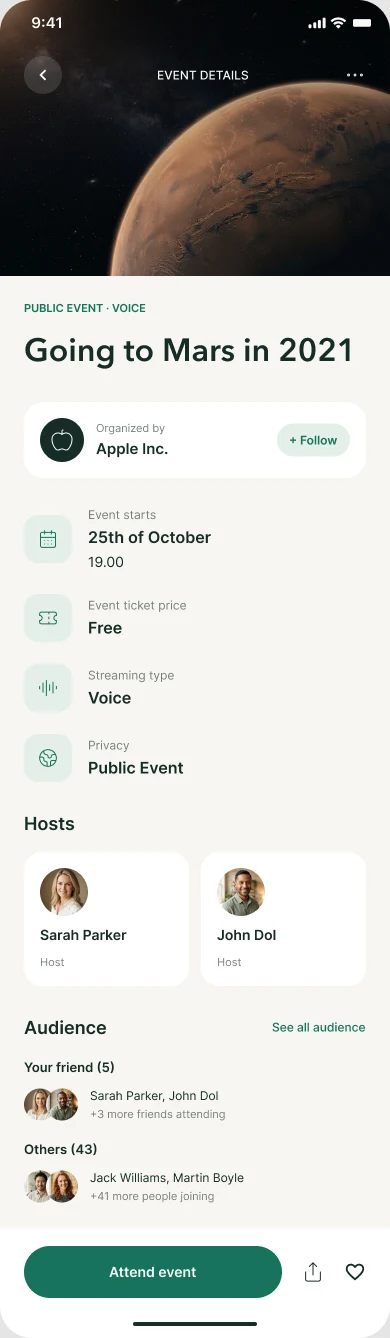
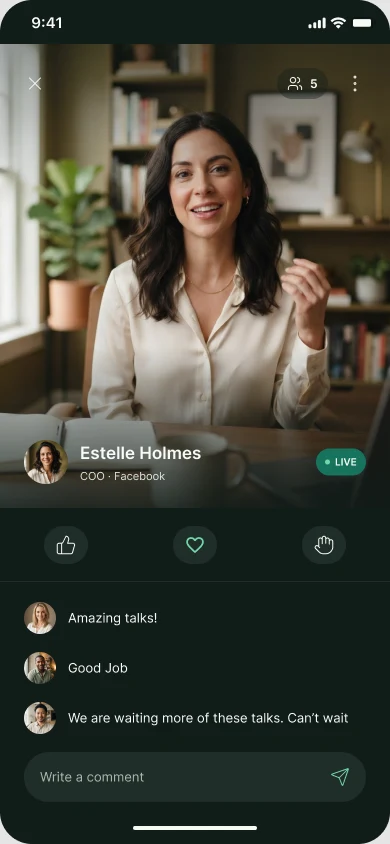
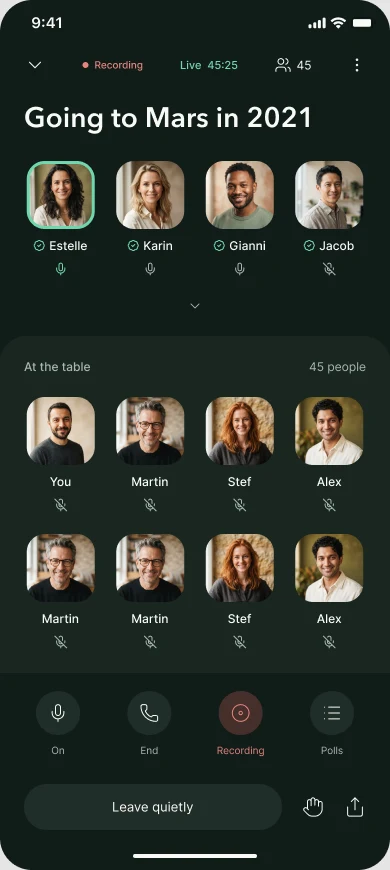
The feed opens on who is live right now, so the first thing you see is a conversation you can join. Event details answer the questions people asked before joining: who hosts, what it costs, and which friends are going.
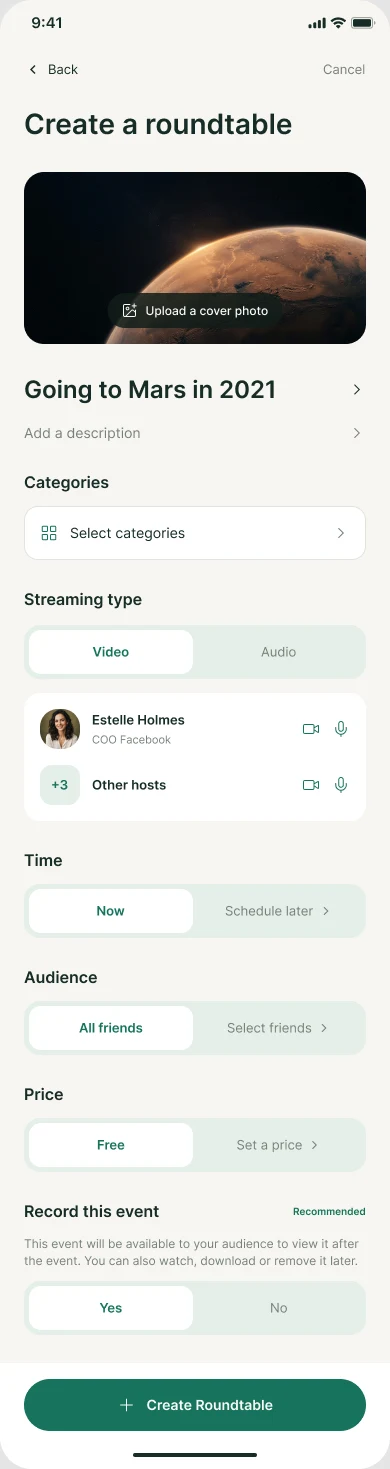
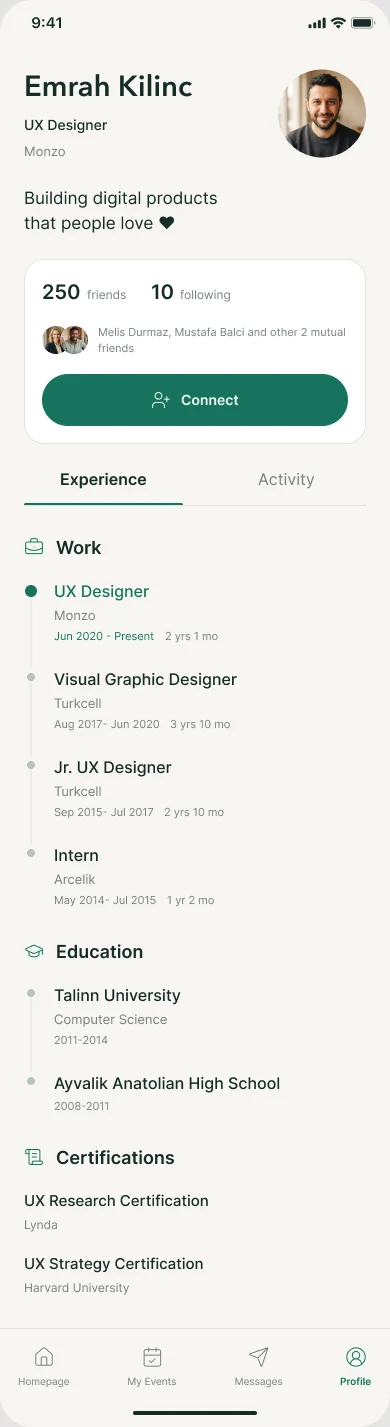
Starting a table takes one screen, with sensible defaults: now, all friends, free, recorded. Profiles read like a short CV, because people come to EKOS to meet the right person, not to follow content.